
What you can do
Ask ChatGPT things like:- “List my buckets, then show what’s in
reports/in theanalyticsbucket.” - “Read
notes/meeting.mdfromteam-docsand summarize it.” - “Which backends hold
datasets/2026-q3.parquet?” - “Give me a presigned download link for
builds/app.zip.” - “What happened in my OneBucket in the last 24 hours?”
Requirements
- A OneBucket account with at least one access key. Request an account.
- A ChatGPT plan and workspace that allow custom MCP servers. On Business, Enterprise and Edu workspaces, an admin may need to add or approve it.
Server URLs
The global hostnames route you to the nearest live region. To pin a region, use its regional form, for example
https://data.us-ashburn-1.onebucket.io; see Endpoints. Add the events endpoint as a second server if you want ChatGPT to query activity. Enter the root URL only; https://data.onebucket.io/mcp will not connect.
Connect it to ChatGPT
- ChatGPT desktop app
- ChatGPT on the web
1
Open MCP settings
Go to Settings → Plugins, open the MCPs tab, and choose Add.
2
Enter the URL
Set URL to 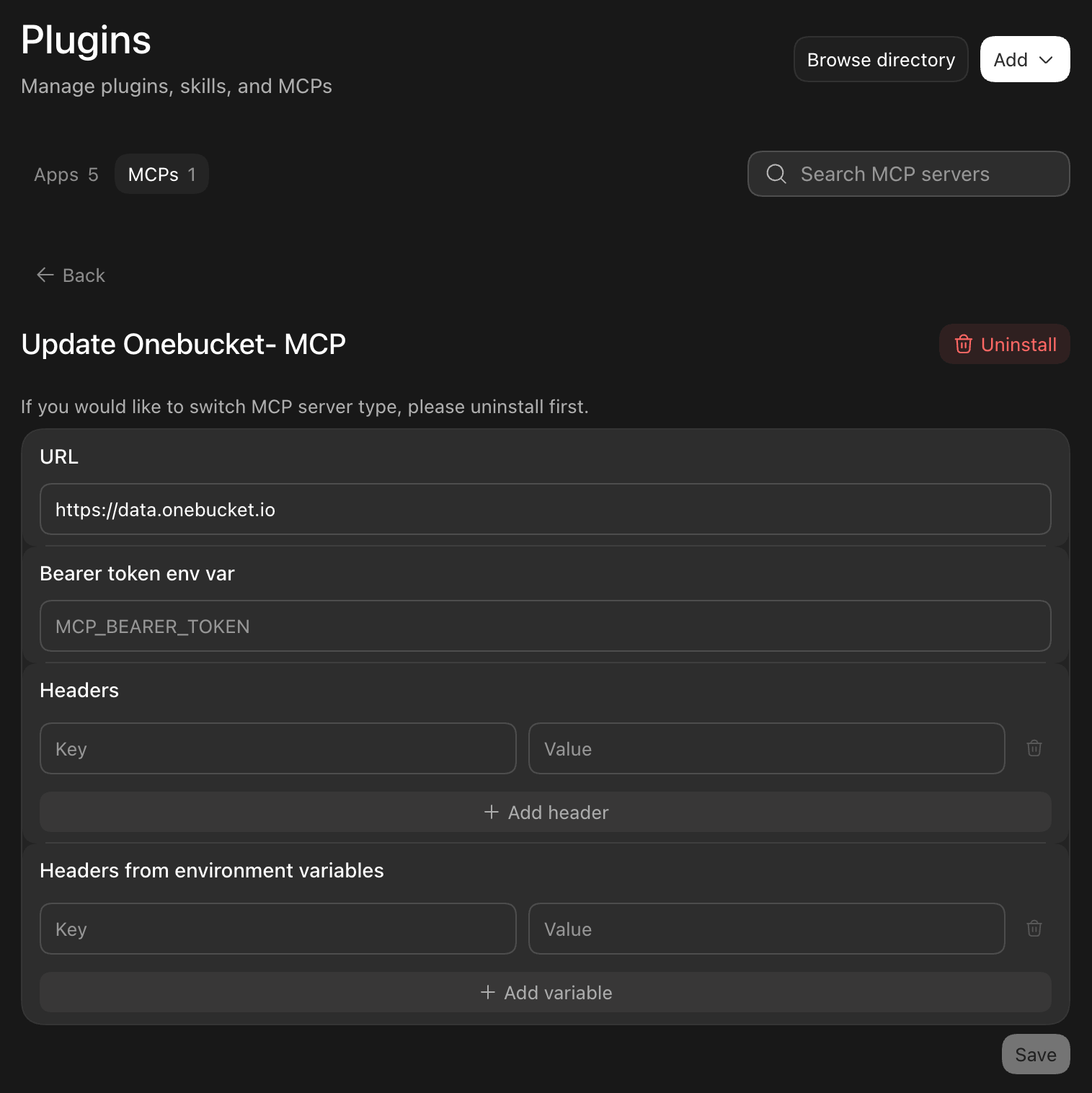
https://data.onebucket.io. Leave Bearer token env var, Headers and Headers from environment variables empty: OneBucket signs you in with OAuth, so no static token is needed. Select Save.3
Sign in
When ChatGPT first connects, sign in to OneBucket and approve the requested access.
How authentication works
ChatGPT discovers the OneBucket authorization server from the MCP endpoint and signs you in with OAuth 2.1 and PKCE. Your OneBucket secret key and your backend credentials never reach ChatGPT. Every tool call is scoped to your organization and access key, and you can revoke the session at any time from your OneBucket console or withonebucket sessions in the CLI.
ChatGPT behavior
- Read tools are marked read-only. ChatGPT treats every other tool as a write action and asks for confirmation before running it.
- ChatGPT registers itself with OneBucket’s authorization server through Dynamic Client Registration, so there is no client ID or secret to enter.
- After an update to OneBucket’s tools, refresh the plugin in ChatGPT’s app settings to pick up the new tool list.
Support
- Email support@attimis.co or call +1-650-382-3274; we typically respond the same business day.
- Support and regions: onebucket.io/support
- Live status: status.onebucket.io
- Privacy policy: onebucket.io/privacy