
The situation
A cloud exit, a cost move to a cheaper object store, or a consolidation after a merger. Every application has the old bucket hard-coded, so the migration turns into a change program with a cutover: reconfigure each client, schedule a window, hope nothing was missed.What OneBucket changes
Applications point at one endpoint that never changes. Behind it you add the new backend, let OneBucket synchronize in the background, then drain and retire the old one. Reads and writes continue throughout. A store can also be added as a tier rather than a replacement.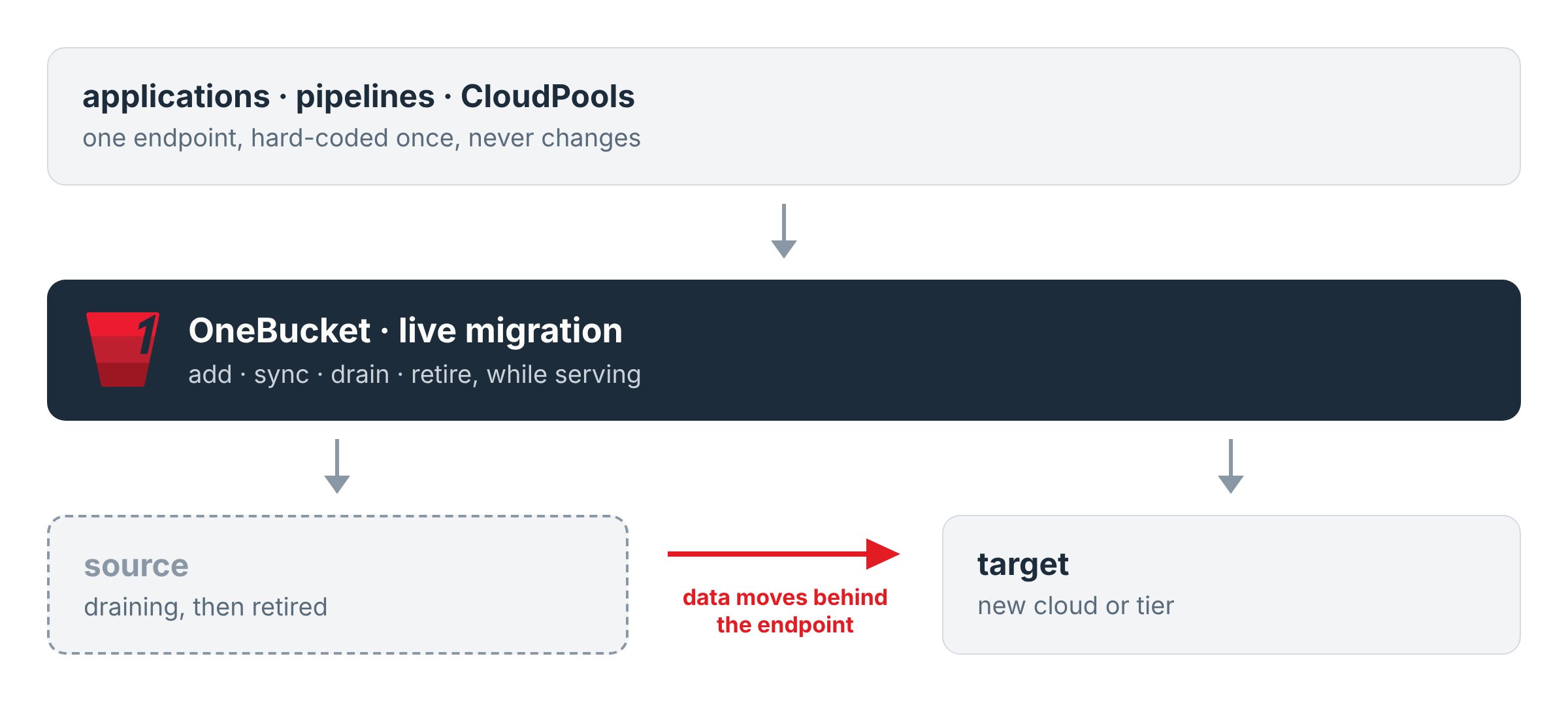
How it works
- Insert into the live path. The endpoint the applications know is OneBucket. The existing backend is registered as a peer bucket of the OneBucket, so nothing changes for clients.
- Add the target. Register the new backend as a second peer bucket in the same policy. New writes land on both. Opportunistic replication copies existing objects to the target as they are read.
- Synchronize. The asynchronous
fluxpath runs the bulk copy in the background. Themigratetool, or the console, drives the job. - Drain and retire. Once the target is complete, remove the source from the policy. The endpoint, the keys and the application configuration are untouched.
Tiering with the same mechanism
Keep hot data on one store and place cold or archival data on a cheaper one, by policy, under the same namespace. The application still sees one bucket.Reference pattern
Dell PowerScale CloudPools: the cluster points at one OneBucket endpoint, and the cloud tier behind it is moved from one provider to another without reconfiguring OneFS. The full walkthrough, with console screenshots, is in Migrate CloudPools from AWS to Wasabi.Related
- Set up your OneBucket: peer buckets, sync, async and cache modes, write quorum
- Claude connector:
migrate,locate - Write once, land in several clouds